What is MANA – and Why Does It Matter?
Microsoft Azure is in the middle of a significant infrastructure modernization. At the heart of this change is the Microsoft Azure Network Adapter (MANA) – a next-generation, Microsoft-engineered network interface card (NIC) that delivers improved performance, resiliency, and forward-compatible drivers for Azure virtual machines.
MANA is a core component of Azure Boost, Microsoft’s broader initiative to offload hypervisor functions to dedicated hardware. Unlike the previous generation of Mellanox-based NICs, MANA hardware is designed and manufactured by Microsoft, giving the platform tighter integration between silicon, firmware, and the Azure control plane.
Official Definition
According to Microsoft’s documentation, MANA “provides stable forward-compatible device drivers for Windows and Linux operating systems” and is engineered to “take advantage of the latest advancements in cloud networking technology.”
MANA maintains feature parity with previous Azure networking capabilities – existing mlx4 and mlx5 driver support still needs to be present because VMs may run on either Mellanox or MANA hardware depending on the physical host they land on. However, workloads that are not compatible with MANA drivers may experience networking performance degradation when placed on MANA-capable hosts.
What Is Changing, and When?
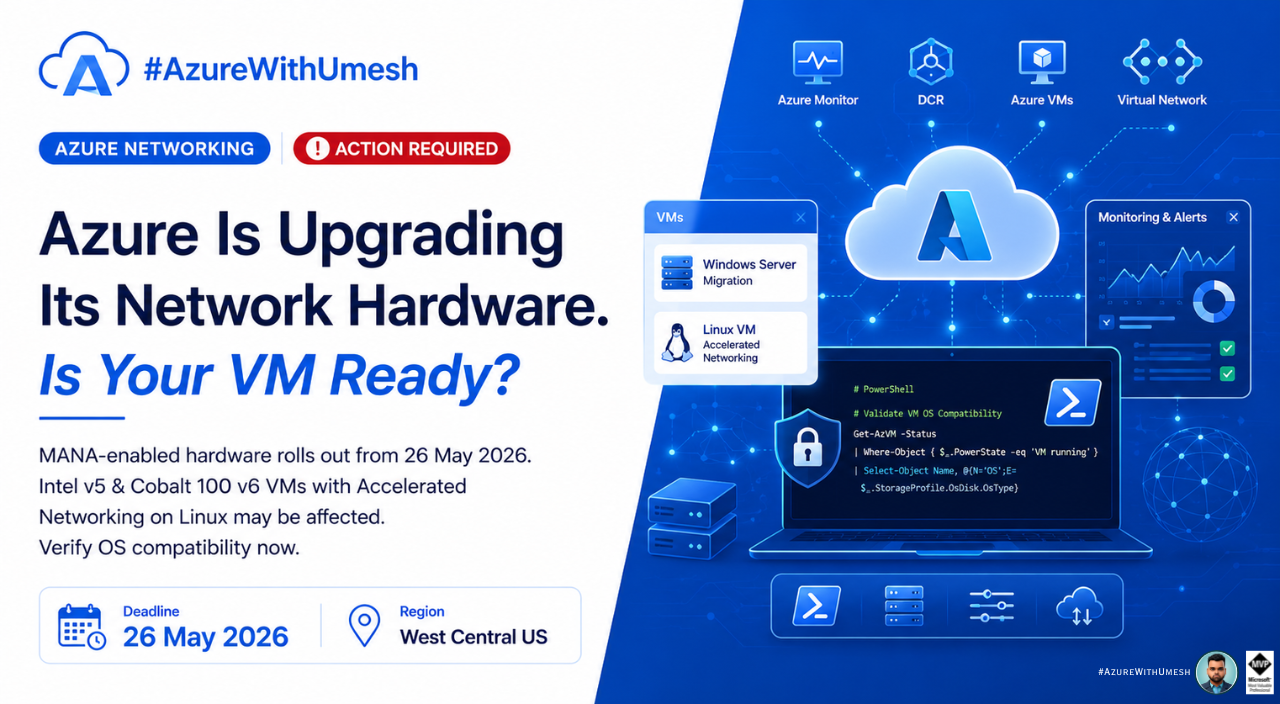
Starting 26 May 2026, Microsoft will begin deploying certain VM series on MANA-capable physical hosts in a phased regional rollout. The rollout begins in two regions, with additional regions to be announced via a subsequent Service Health notification on 26 May 2026 (UTC).

Key Impact
Any new VM deployment, or an existing VM redeployed due to a maintenance event or customer action (such as a stop/start), may land on MANA-capable hardware once the rollout reaches that region. This is not a voluntary upgrade – it is a platform-level infrastructure change.
Which VM Series Are Affected?
The following VM series are subject to this change. These are the Intel D- and E- v5-series and Cobalt 100 D- and E- v6-series virtual machines that use Accelerated Networking.
Are You Affected? Quick Reference
Not all customers running these VM sizes need to act. The table below summarises which scenarios require attention.

Who Needs to Pay Attention Most
Network Virtual Appliance (NVA) workloads – such as firewalls, routers, VPN gateways, or load balancers running on these VM sizes – are the most directly impacted because they have a direct dependency on the underlying network hardware and drivers. Per Microsoft’s MANA NVA guidance, NVA workloads are “uniquely impacted due to their direct dependency on the underlying network hardware and drivers.”
Understanding MANA Linux Compatibility
For Linux VMs, MANA compatibility depends on having the correct kernel version and Ethernet drivers installed. According to Microsoft’s Linux MANA documentation:
- MANA Ethernet drivers are included in kernel version 5.15 and later
- Kernel 6.2+ adds support for InfiniBand/RDMA and DPDK features
- Earlier or forked kernel versions (5.15 and 6.1) require backported support
- If using DPDK on MANA, Linux kernel 6.14 or later is required (or a backport)
How to Verify MANA Is Working on Your VM
Microsoft provides the following checks to confirm MANA is functioning correctly:
1. Hardware Check – Confirm you see the MANA PCI device:
$ lspci
7870:00:00.0 Ethernet controller: Microsoft Corporation Device 00ba
# If you see a different controller, MANA is not in use
2. Kernel Driver Check – Confirm the MANA Ethernet module is present:
|| find /lib/modules/$(uname -r)/kernel -name mana*.ko*kernel/drivers/net/ethernet/microsoft/mana/mana.ko
3. Traffic Flow Check – Verify the VF is actively carrying traffic:
vf_rx_packets: 226418
vf_rx_bytes: 99557501
# If all values are 0, the VF is not active
Required Actions – Step by Step
Microsoft recommends completing the following steps before 26 May 2026. Here is a clear breakdown of what to do:
1. Identify affected
Enumerate all Intel D- and E- v5-series and Cobalt 100 D- and E- v6-series VMs in your subscriptions that have Accelerated Networking enabled and are running NVA workloads (firewalls, load balancers, VPN appliances, etc.)
2. Verify Linux OS compatibility with MANA
Check that your Linux distribution and kernel version is MANA-compatible per Microsoft’s MANA Linux guide. Run the hardware, kernel driver, and traffic checks described above on each affected VM
3. Upgrade incompatible OS or NVA products
If your OS is not MANA-compatible, upgrade the Linux kernel or migrate to a supported Marketplace image. For NVA products, contact your NVA vendor to confirm MANA support and obtain a MANA-compatible image or appliance version.
4. Apply the LegacyVMNVA tag if you need more time
If you cannot complete the upgrade before 26 May 2026, you can apply the LegacyVMNVA Azure Policy tag to prevent your NVA VMs from being placed on MANA hardware. This tag must be applied and enabled before 1 August 2026. The exception expires on 31 May 2027, after which all MANA-eligible VMs will be placed on MANA hardware regardless of the tag.
5. Complete full MANA compatibility by 31 May 2027
Understanding the LegacyVMNVA Temporary Exception
For organizations running complex NVA workloads that need more time to validate and upgrade, Microsoft has provided a temporary opt-out mechanism via Azure Policy.
According to Microsoft’s NVA MANA guidance, the LegacyVMNVA Azure Policy tag:
- Prevents NVA VMs and Virtual Machine Scale Sets from landing on MANA hardware during the grace period
- Can be applied at multiple scopes: Resource, Resource Group, Subscription, Management Group, or Root Management Group (entire tenant)
- Scopes tag application to specific NVA publishers and associated product IDs available in Azure Marketplace
- Has no cost implications for your subscription
- Must be applied via the Azure Policy Compliance and Remediation process
Critical Deadline for the Tag
The LegacyVMNVA tag must be applied and enabled before 1 August 2026.
VMs created or tagged after this date may be placed on MANA-capable hardware regardless. If the tag is not applied before the region receives MANA-capable hardware, the VM may already be deployed on that hardware and the tag will have no effect.
What Happens If You Do Nothing?
Microsoft has stated that Intel v5 and Cobalt 100 VM sizes will remain supported on both existing Mellanox and new MANA-enabled hardware until the VM size is retired. However, there is an important caveat:
Choosing to continue using Intel v5 and/or Cobalt 100 VM sizes without MANA compatibility means “there is potential for network performance degradation” according to Microsoft’s guidance. VMs without MANA-compatible drivers fall back to the hypervisor’s virtual switch for network connectivity – bypassing the hardware acceleration that MANA provides
For general workloads, this may manifest as reduced network throughput or increased latency. For NVA workloads – which are inherently network-intensive – the degradation can be significant and may impact the functionality of your firewall, VPN, or routing appliance.
Microsoft also notes that because MANA hardware and software are both engineered by Microsoft, newer VM series are “built and optimized with MANA in mind and are designed to take full advantage of its performance, reliability, and resiliency improvements.” Long-term, using non-compatible configurations means missing out on these platform improvements.
Special Note: DPDK Workloads
If your NVA uses DPDK (Data Plane Development Kit) – common in high-performance packet processing scenarios – the requirements are stricter. Per Microsoft’s MANA overview, running DPDK on MANA hardware requires:
Linux kernel 6.14 or later
# Earlier Azure Marketplace images must update their kernel
Summary: Your Action Checklist
Quick Checklist Before 26 May 2026
- Identify Intel v5 / Cobalt 100 v6 VMs with Accelerated Networking running Linux NVAs
- Verify Linux OS/kernel version for MANA compatibility (kernel ≥ 5.15, ≥ 6.14 for DPDK)
- Run the lspci, kernel driver, and ethtool checks on each VM
- Upgrade incompatible OS or contact your NVA vendor for a compatible image
- If more time is needed, apply the
LegacyVMNVAAzure Policy tag before 1 Aug 2026 - Plan to complete full MANA migration by 31 May 2027 (hard deadline)
If you have questions or encounter issues during the migration, Microsoft recommends contacting your Customer Support Account Manager (CSAM) if available, or raising a support request via Azure Support.